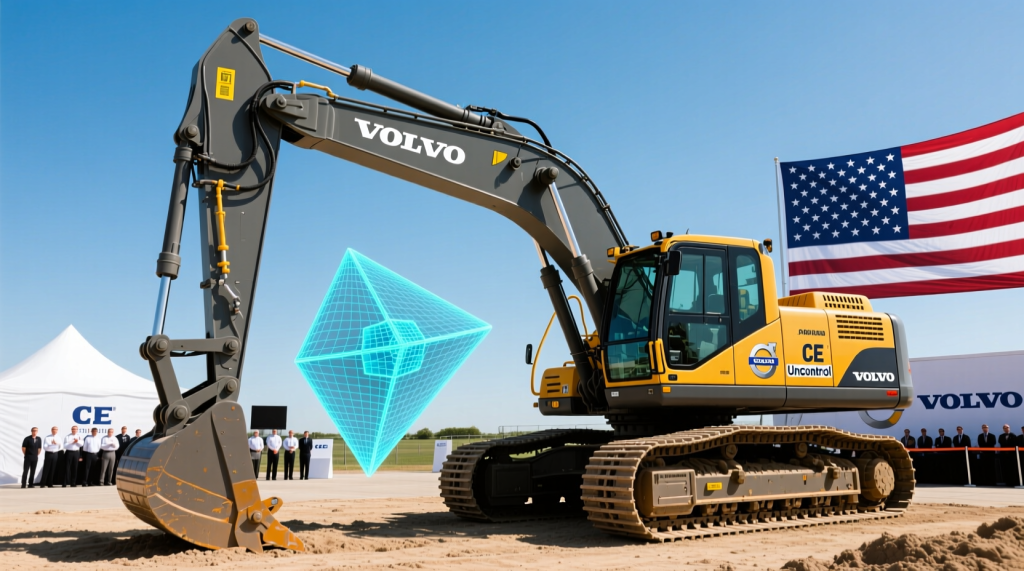
Introduction: Unicontrol3D brings GNSS 3D machine control for excavators to Volvo CE in North America

Unicontrol’s 3D machine control technology is now available on select Volvo Construction Equipment (Volvo CE) excavators in North America, following a 2025 rollout in Europe. The result is an integrated excavator grade control system that combines Volvo’s in-cab ecosystem with Unicontrol3D’s positioning and design-model workflow—aimed at improving accuracy, productivity, and repeatability in everyday earthmoving.
For background on Volvo’s in-cab platform, see Volvo CE’s overview of Dig Assist for excavators. For context on why GNSS-based positioning matters in construction, Trimble’s primer on Global Navigation Satellite System (GNSS) provides a clear definition of the technology family (GPS, Galileo, etc.).
TL;DR: Unicontrol3D expands Volvo’s excavator automation ecosystem in North America with integrated 3D guidance and grade control built around digital models and GNSS/IMU positioning.
How the integration works: Volvo Co-Pilot Dig Assist integration + Volvo Active Control semi-automation
Unicontrol3D is integrated through the Volvo Co-Pilot (Volvo’s in-cab tablet display and computing platform) and works with Dig Assist—Volvo’s suite of excavator assistance applications. When paired with Volvo Active Control (Volvo’s semi-automatic excavation functions), Unicontrol3D’s 3D guidance can support more consistent execution of the operator’s intent.
What “semi-automatic” means in practice: depending on machine configuration, Active Control can help regulate specific motions such as:
- Boom and bucket control to help hit target grades more consistently (reducing overcut/undercut)
- Swing control for more repeatable dumping/placement cycles
- Tilt/rotation guidance (where equipped) to keep edges on-plane for slopes/benches
Unicontrol3D’s role is to provide accurate real-time position/orientation and design-surface context to the operator interface, and (when enabled through Volvo’s assist features) to support the machine’s semi-automatic functions with better situational guidance. The value is a single in-cab workflow—operators aren’t forced to manage separate displays, separate sensor stacks, or competing user interfaces.
TL;DR: Unicontrol3D runs through the Volvo Co-Pilot/Dig Assist environment and complements Volvo Active Control by improving the quality and usability of 3D guidance for semi-automatic boom/bucket/swing workflows.
Underlying technology: GNSS, IMUs, sensors, and calibration (in plain terms)
Modern 3D machine control relies on multiple measurement sources working together:
- GNSS (Global Navigation Satellite System): satellite positioning used to locate the machine on the site. When paired with correction services (often RTK, Real-Time Kinematic), GNSS can provide centimeter-level positioning under good conditions. A practical overview of RTK is available via Real-time kinematic positioning.
- IMU (Inertial Measurement Unit): a sensor package that typically includes accelerometers and gyroscopes to measure machine orientation and motion. See a general definition at Inertial measurement unit (IMU).
- Angle/position sensors on linkage: sensors mounted on boom, stick, and bucket linkages to calculate bucket tip position and cutting edge orientation relative to the machine body.
- Calibration methods: procedures that align sensor measurements to the excavator’s real geometry (e.g., bucket dimensions, sensor offsets, and the relationship between machine axes and the design coordinate system). Calibration is essential to reduce systematic errors that can cause “good-looking” guidance to still miss grade.
In most excavator 3D systems, the machine’s bucket tip position is computed from a combination of (1) GNSS antenna position(s) on the upper structure, (2) IMU heading/attitude data, and (3) linkage sensor angles. The system then compares the computed bucket edge location to a target design surface (e.g., a road subgrade, ditch line, or building pad plane) and provides in-cab cut/fill guidance.
TL;DR: Unicontrol3D-style excavator grade control combines GNSS (often RTK), IMU orientation, and linkage sensors—then relies on careful calibration to translate sensor data into accurate bucket-edge position versus the design model.
Supported Volvo excavators in North America: models, tonnage classes, and limitations
In North America, Unicontrol3D availability is tied to Volvo excavators equipped with Volvo Co-Pilot with Dig Assist and the required factory-ready sensor/installation package. In practical terms, this targets Volvo’s mainstream excavator classes where Dig Assist/Active Control options are commonly specified.
Typical supported classes (North America):
- Mid-size crawler excavators (commonly ~20–30 metric ton class)
- Large crawler excavators (commonly ~35–50+ metric ton class), where Dig Assist/Active Control packages are frequently ordered for mass excavation and production work
Crawler vs. wheeled: availability is generally strongest on crawler excavators because that’s where Dig Assist/Active Control adoption is most common. Wheeled excavator support may depend on regional offering and configuration; confirm by serial number and option codes with your Volvo dealer.
Model-year/configuration limitations: because the solution depends on Volvo Co-Pilot + Dig Assist hardware and machine-ready wiring/sensors, compatibility may be limited to machines built with the factory-ready assist package (often recent model years and specific configurations). If a machine was not ordered with Dig Assist/Co-Pilot (or lacks machine-ready sensor provisions), retrofitting may not be available or may require additional hardware and dealer evaluation.
For the most accurate model list by region and build, contractors should verify eligibility through Volvo CE and their local dealer using the machine’s configuration and serial number. Volvo’s Dig Assist product page is a good starting point: Volvo Dig Assist (US).
TL;DR: North America support typically centers on Volvo crawler excavators equipped from the factory with Volvo Co-Pilot + Dig Assist (and compatible assist packages); wheeled excavator support and older builds depend on configuration and dealer confirmation.
Key benefits for excavation and grading: accuracy, rework reduction, and predictable production

Unicontrol3D is designed to help operators work with greater speed, precision, and consistency across common excavation workflows:
- Utility and drainage trenching
- Subgrade and slope finishing
- Site profiling for roads, pads, and foundations
With real-time 3D guidance on the Volvo Co-Pilot, the operator can see bucket position, target surfaces, and cut/fill values—helping reduce over-digging, minimize material waste, and improve final grade accuracy. In broader industry reporting, construction automation and machine control are consistently associated with reduced rework and fewer grade-check cycles, particularly where digital models replace or reduce reliance on staking. For a high-level industry perspective on construction technology adoption and productivity pressures, see McKinsey’s construction productivity insights: McKinsey—Capital Projects & Infrastructure insights.
Practical expectation setting (E-E-A-T): actual performance depends on site conditions (GNSS sky view, soil type), operator skill, calibration quality, and model quality. Many contractors report meaningful reductions in grade-checking and rework when moving from 2D methods or manual staking to 3D machine control; however, results vary by application and workflow maturity.
TL;DR: The biggest wins are fewer grade-checks, less overcut, and more consistent production—especially when digital models and calibration are handled well.
Real-world usage scenarios (with practical impact ranges)
Below are concise, real-world examples of where a GNSS 3D machine control for excavators workflow is commonly used, along with realistic impact ranges contractors often target when deploying 3D grade control and semi-automation features.
- Urban utility trenching (tight corridors, high rework risk): Operators use 3D guidance to hold trench depth and slope while reducing reliance on frequent spot checks. In dense urban work, many crews aim for 20–40% fewer grade-check interruptions and fewer instances of over-excavation that drive bedding/backfill costs (actual results depend on utility congestion and GNSS visibility).
- Highway subgrade/ditch line excavation: With consistent model-based guidance, teams often target 10–30% reduction in rework/undercut-overcut corrections and smoother handoff to compaction and paving. This is especially valuable on long linear projects where small systematic errors can accumulate.
- Building pad preparation (commercial/industrial): For pad cuts and balance, 3D machine control can reduce the number of finish passes and improve grade conformance. Contractors frequently target 1–2 fewer finish passes on final trim and faster verification when as-built surfaces align closely with the design plane.
Note: The ranges above are practical targets reported by contractors across the industry for 3D machine control adoption; measured outcomes require site-specific tracking (cycle time, grade checks, rework hours, and material quantities).
TL;DR: The best ROI use cases are trenching, highway grading, and pad work—where model-based digging reduces grade-check delays and avoids costly overcut or rework.
Implementation, commissioning, and support: what happens from delivery to first job

For machines ordered factory-ready with Volvo Co-Pilot + Dig Assist, deployment typically follows a commissioning workflow like this:
- Activation: Unicontrol3D application activation is commonly performed through the Volvo dealer channel (or an authorized partner process), ensuring the correct licensing and machine configuration are applied.
- Initial calibration: A technician performs linkage and orientation calibration (e.g., boom/stick/bucket sensor alignment and bucket measurement entries). Calibration may be repeated when changing bucket types, quick couplers, or after certain repairs.
- GNSS setup: Configure correction source (e.g., local RTK base, network RTK, or site corrections). GNSS performance is sensitive to antenna placement, multipath, and sky visibility—so correct setup and verification matter.
- Model verification: Load a known-good test surface and verify cut/fill at control points before production digging.
- Operator training: Short, role-based training (operators + foremen) focused on interpreting cut/fill, managing modes, and daily checks tends to accelerate adoption.
Training and updates: In addition to dealer-led onboarding, most contractors benefit from refresher training after 2–4 weeks of field use. Software update policies vary by region and program; ask your dealer how updates are delivered (dealer service visit vs. over-the-air/connected updates where available) and what’s included in support agreements.
TL;DR: Expect dealer/authorized activation, a structured calibration step, GNSS corrections setup, and short operator training; good commissioning is the difference between “it works” and “it works accurately every day.”
Interoperability and data flow: design upload, as-built export, and digital workflow fit
Unicontrol3D is positioned as a practical option for contractors who need mixed-fleet machine control and don’t want to be locked into a single proprietary data workflow. On most projects, the core digital loop includes: (1) design model import, (2) in-field execution and surface checks, and (3) as-built or progress export for reporting and verification.
Design model upload methods (commonly supported in the industry):
- USB transfer for straightforward, offline file delivery
- Cloud/connected transfer (where enabled) to reduce “sneakernet” and keep versions controlled
- Telematics-assisted workflows depending on site connectivity and machine configuration
File formats and platforms: contractors typically rely on civil design deliverables such as LandXML (Land eXtensible Markup Language, commonly used for alignments/surfaces) and CAD formats such as DXF (Drawing Exchange Format) and DWG (AutoCAD drawing). The practical goal is to keep the excavator working from the same “source of truth” as survey and design teams—whether that originates in Autodesk, Bentley, Trimble, or other common civil/survey ecosystems.
As-built and progress outputs: depending on configuration, operators and field engineers may export surface/progress data for QA/QC, payment quantities, or progress tracking. This can support broader workflows such as BIM (Building Information Modeling) coordination and use within a CDE (Common Data Environment) to manage revisions and approvals across stakeholders. For a neutral definition of BIM, see: National BIM Standard–United States (NBIMS-US).
TL;DR: The value is clean data flow—upload designs via USB or connected methods, execute to the same model in-cab, and export progress/as-built data to support QA/QC and project reporting.
Why Unicontrol3D is different (without the marketing fluff)

Many contractors evaluating an excavator grade control system care less about feature lists and more about day-to-day ownership: install complexity, calibration time, operator acceptance, and total cost to keep it running across a fleet.
Unicontrol3D’s differentiation is typically described in practical terms:
- Simplified in-cab experience: unified workflow through Volvo Co-Pilot reduces “screen overload.”
- Factory-ready approach: when ordered correctly, hardware provisioning is completed at the factory—reducing retrofit downtime.
- Workflow openness: emphasis on common file formats and mixed-fleet realities, supporting gradual rollout rather than forcing a full ecosystem switch.
- Lower total cost of ownership (TCO): fewer installation steps and reduced complexity can translate to lower downtime and easier scaling (actual economics depend on fleet size and support structure).
Additionally, Unicontrol is owned by Spectra Precision, a long-established positioning technology provider with a broad footprint in construction and survey positioning solutions. This matters to many buyers because it signals long-term product support, GNSS expertise, and an ecosystem approach to positioning technology. Learn more about Spectra Precision here: Spectra Precision.
TL;DR: The key differentiators are integration simplicity (one in-cab workflow), factory-ready deployment, open data workflows for mixed fleets, and backing from Spectra Precision’s positioning track record.
Conclusion: what contractors should do next
With Unicontrol3D now available on Volvo excavators in North America, contractors can pair Volvo’s assist features with a practical 3D guidance workflow—improving grade accuracy, reducing avoidable rework, and making production more repeatable across operators and shifts. The best results come from treating deployment as a system: correct machine configuration, solid calibration discipline, reliable GNSS corrections, and consistent model/version control.
Next step: Contact your local Volvo CE dealer or an authorized Unicontrol representative to confirm model eligibility (by serial/configuration), request a demo on your job type (trenching, subgrade, pads), and discuss pricing or a short pilot project to quantify ROI in your conditions.
TL;DR: Verify compatibility, plan commissioning/calibration, and schedule a dealer demo or pilot to measure rework reduction and production gains on your real projects.
FAQ

Q: What is Unicontrol3D and how does it function as a GNSS 3D machine control for excavators?
A: Unicontrol3D is a 3D excavator grade control system that uses GNSS positioning (often with RTK corrections), an IMU (Inertial Measurement Unit), and linkage sensors on the boom/stick/bucket to compute bucket-edge position in real time. It compares that position to a digital design surface and shows cut/fill guidance on the in-cab display to help the operator excavate to grade more accurately.
Q: How does Volvo Co-Pilot Dig Assist integration relate to Volvo Active Control features like boom/bucket or swing control?
A: Volvo Co-Pilot is the in-cab interface, and Dig Assist hosts guidance and assist applications. When a machine is equipped with Volvo Active Control (semi-automatic functions), the system can help the operator execute certain movements more consistently (e.g., controlling boom/bucket motion to reach grade targets). Unicontrol3D provides the 3D guidance and model context within that Volvo workflow so the operator can work from one integrated environment.
Q: What connectivity is required for design file transfer and remote support?
A: Connectivity needs depend on your workflow. Many crews use USB transfer for design files with no internet required. If you want cloud-based transfer, centralized version control, or remote support, you’ll typically need jobsite internet (Wi‑Fi or cellular). Ask your dealer what connected options are available for your exact machine configuration and region.
Q: What file formats are typically supported (LandXML, DXF, DWG), and can it fit common survey/design workflows?
A: Contractors commonly use LandXML for surfaces/alignments and DXF/DWG for CAD linework and reference geometry. In practice, the goal is to ingest the same deliverables produced by common civil/survey platforms and maintain a clean revision process. Confirm the exact import/export format list and any version constraints with your Volvo dealer or Unicontrol representative based on your project deliverables.
Q: What is a typical payback period or ROI for an excavator grade control system?
A: ROI depends on utilization (hours on-grade), rework risk, and how often you move dirt to a specified model. Many contractors target payback within roughly 6–18 months when the system is used on frequent grade-sensitive work (utilities, road subgrade, pads). The most reliable way to estimate ROI is a short pilot that tracks grade-check time, rework hours, and material overcut before and after deployment.